ProfiVue
ProfiVue is an Android reseller calculator for marketplace fees, estimated profit, ROI, margin, and break-even price; this NoCharge overview summarizes its described workflows and points to the official product website for current details.
Direct answer
What is ProfiVue?
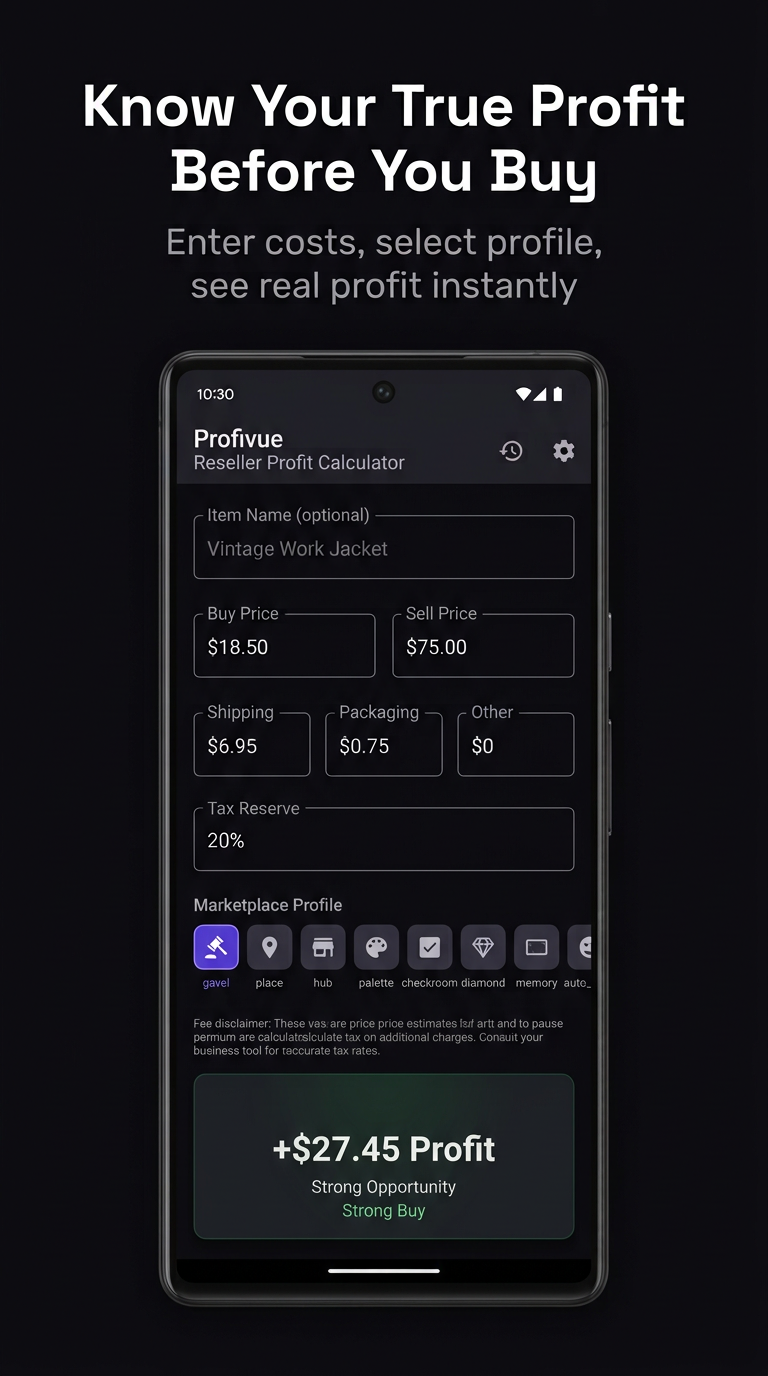
ProfiVue is an Android calculator for resale pricing: select a marketplace profile, enter an item cost, expected selling price, and related expenses, then review estimated profit, ROI, margin, and break-even price. Its public description also lists a tax reserve and custom profiles.
Visit the official ProfiVue websiteThis NoCharge page is an independent editorial overview. Described features are publisher statements, not independently tested guarantees; check the official site for current product details.
Context
Overview
ProfiVue is presented as a profit-and-fee calculator for people who source items to resell. Its described calculation brings together an acquisition cost, an expected sale amount, marketplace charges, shipping, packaging, and other expenses so a seller can estimate what a transaction may leave behind.
The current public description names eBay, Amazon, Poshmark, Mercari, Etsy, Depop, and Facebook Marketplace, and also refers to custom profiles for local or niche channels. This overview restates those public details; it does not guarantee that every fee schedule, market, field, or calculation remains current.
At a glance
Described features
- Compare estimated proceeds after marketplace fees, shipping, packaging, and other expenses are considered alongside purchase cost and expected sale price.
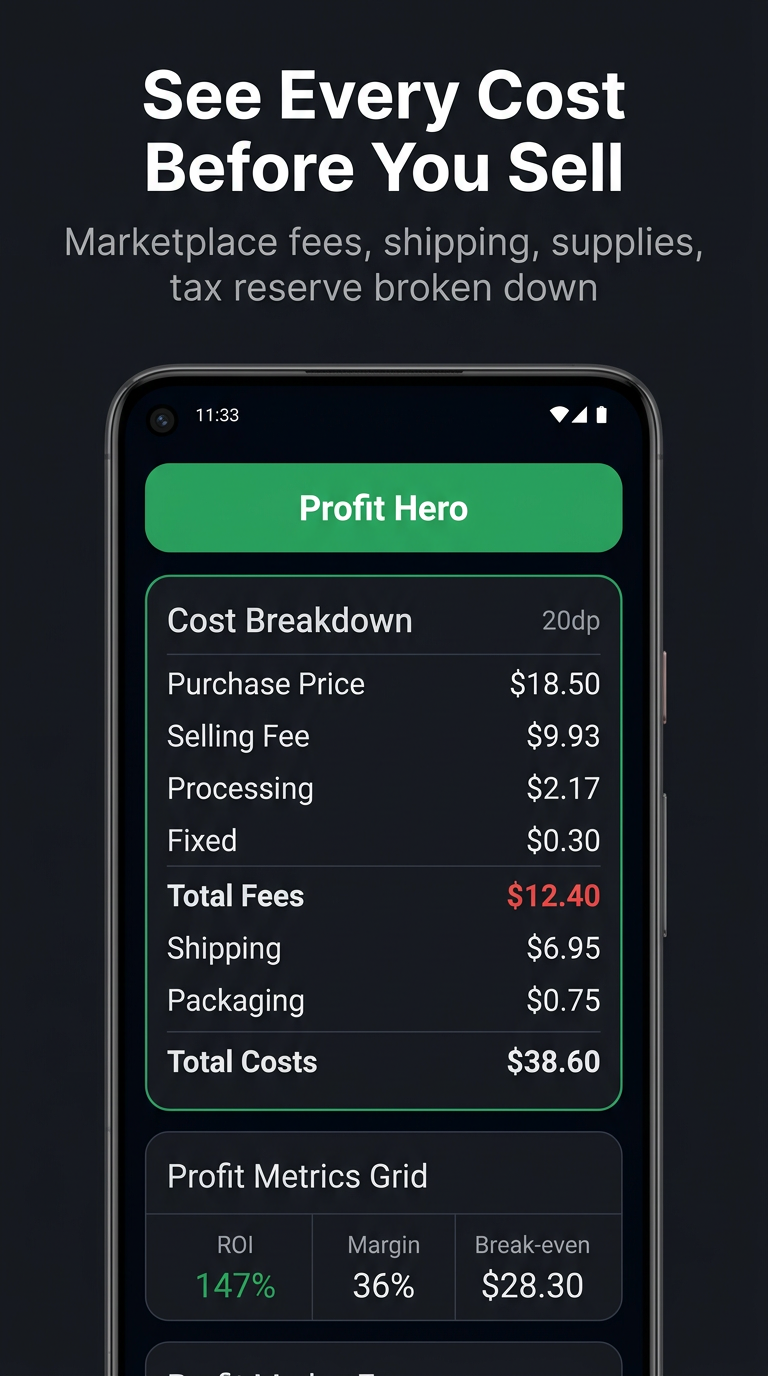
- Review several reported pricing measures, including net-profit estimate, return on investment, profit margin, and a break-even sale price.
- Set an optional tax-reserve percentage as part of a preliminary estimate; this does not replace professional tax advice or a jurisdiction-specific calculation.
- The public feature list names Sell For and Pay Max; verify the current controls, inputs, and calculations before using either label to make a pricing decision.
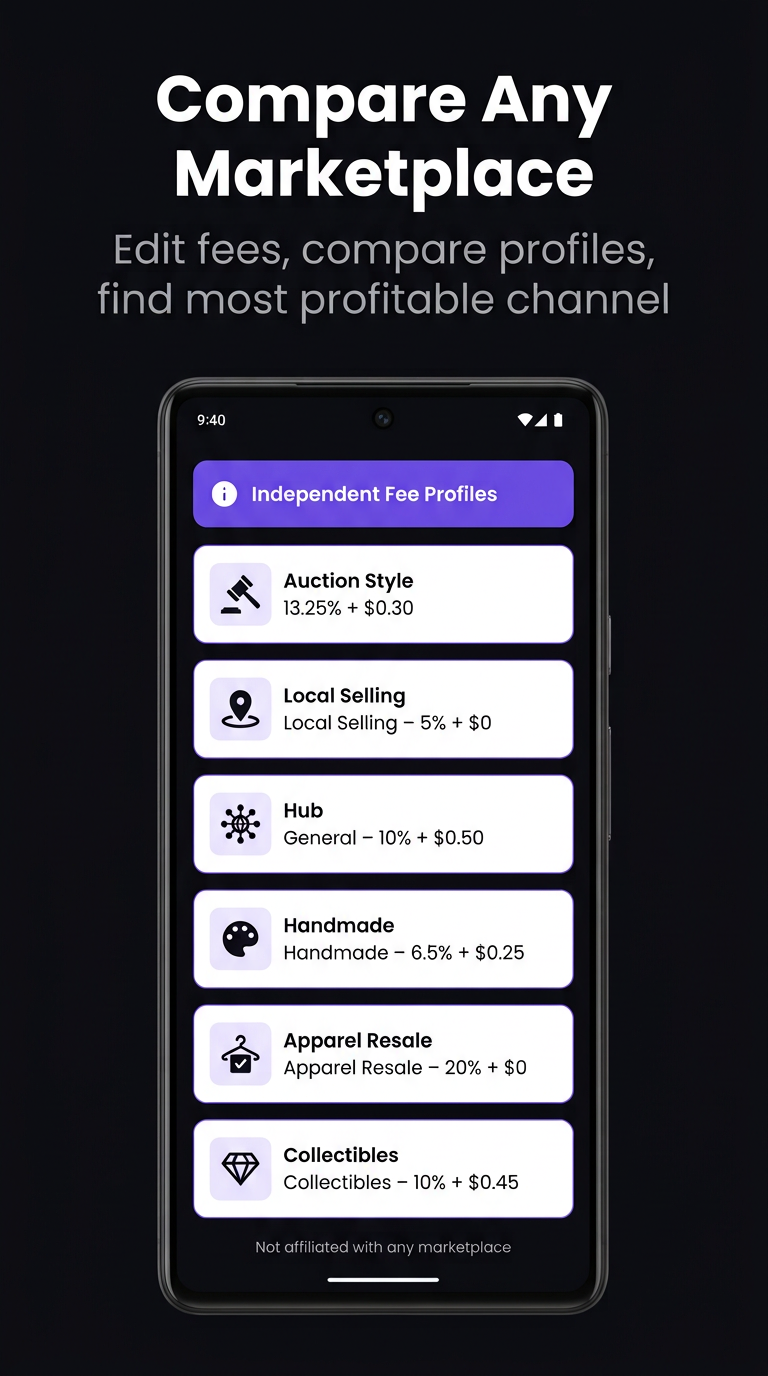
- Use named marketplace options or create a custom profile for local and niche channels, then confirm the exact fee assumptions before making a decision.
- The latest public release notes mention local-first backup and restore in JSON or through Google Drive, import, CSV export, and database migration updates. They do not establish which records each option covers or the exact network behavior, so verify those details before relying on them.
A practical starting point
Workflows and decisions
Workflow 1
Set a purchase ceiling before sourcing
Use the estimate as a screening step before committing money to an item, with the expected channel and costs made explicit.
- Choose the marketplace profile that best matches the place where you expect to sell the item.
- Enter the purchase amount and a realistic expected sale price, then include shipping, packaging, and any other costs you expect to pay.
- Review the resulting fee estimate, net-profit estimate, margin, ROI, and break-even figure together rather than relying on one headline score.
- If the current app offers a Pay Max control, inspect its inputs and assumptions before treating the result as a sourcing ceiling; independently check every fee and tax assumption.
Workflow 2
Check a target price before listing
Work from the costs and channel you intend to use, then compare the estimate with a price buyers are likely to accept.
- Record the item cost and the expenses that apply to the sale, including shipping and packing supplies.
- Select or review the marketplace fee profile and inspect how its charges affect the estimated amount remaining.
- Compare a proposed price with the break-even result and the desired margin instead of assuming the listed price equals take-home profit.
- If Sell For is available in your version, inspect its stated inputs and calculation before treating any result as a target price; compare it with current market prices and fees.
Workflow 3
Compare marketplace assumptions
Evaluate a channel choice by comparing the profile inputs, not by treating a built-in rate as a permanent promise.
- Review the marketplace profile that corresponds to the channel under consideration, or create a custom profile when appropriate.
- Make sure the percentage and fixed-fee assumptions reflect the current marketplace, category, and transaction details that apply to your item.
- Compare the resulting estimates with the same cost and sale-price assumptions so the channel comparison is meaningful.
- Keep any exported history or backup in a location and format that fit your own privacy and recordkeeping needs.
Who it may suit
Use cases
Resale sourcing
Screen a potential purchase against a planned resale price and a maximum amount you are comfortable paying.
Pre-listing price review
See how selling charges and fulfilment costs can change an expected margin before choosing an asking price.
Channel comparison
Compare marketplace profiles or model a local sales channel with a custom profile and explicit assumptions.
Recordkeeping options
Review the publicly described backup, restore, import, and CSV options, then verify their current data scope and privacy behavior before using them.
Publisher-supplied imagery
A look at the product
These locally stored listing images are examples of the product’s presentation, not a live interface or an independent feature test.
Scope and caveats
Platform, availability, and what to verify
The public product description reviewed for this page presents ProfiVue as an Android productivity application. Version, supported marketplaces, pricing, and availability can change; the official ProfiVue website is the destination for current product information.
This NoCharge page is an editorial overview, not a working calculator, an accounting system, financial advice, or a promise that a marketplace fee estimate is complete. Review the assumptions and official product details before relying on a result.
Questions to confirm with the current product
- Does the selected profile include the current fee rules for your marketplace, region, category, and transaction type?
- How should a user-set tax reserve be interpreted for their own filing situation, and which questions require a tax professional?
- Which fields are included in JSON backup, restore, or CSV export, and what happens when the optional Google Drive path is used?
- Are Sell For and Pay Max available in the version you use, and do their estimates include every relevant payment, shipping, or promotion charge?
Straight answers
Frequently asked questions
What does ProfiVue help a reseller estimate?
Its described workflow combines an item cost and expected sale price with marketplace fees and other expenses, then presents estimated profit, ROI, margin, and break-even information.
Which selling channels are named in the current description?
It names eBay, Amazon, Poshmark, Mercari, Etsy, Depop, and Facebook Marketplace, and mentions custom marketplace profiles. Confirm current support and fee assumptions on the official ProfiVue website.
Does a tax-reserve percentage make the result tax advice?
No. The described tax reserve is an input for estimating a set-aside; it does not establish a user’s tax liability, replace professional advice, or guarantee that a calculation fits a specific jurisdiction.
Are marketplace fees guaranteed to be current?
No fee schedule should be treated as permanent. Check the applicable marketplace rules and profile assumptions for the transaction you are considering, then confirm the current product behavior through the official site.
Can Sell For or Pay Max determine a safe purchase price or required sale price?
The public feature list names both controls, but this overview has not independently verified their current inputs, outputs, or calculation rules. Confirm the current behavior and assumptions before using either result for a decision.