RideSide
RideSide is a boat and personal-watercraft organizer for checklists, watercraft details, and ride notes, with reusable templates and weather information when available; see the official product website for current details.
Direct answer
What is RideSide?
RideSide is a boat and personal-watercraft organizer that keeps reusable checklists, watercraft details, and ride notes together. Its current public description also mentions a weather snapshot when available and says ride information can be kept on-device without an account.
Visit the official RideSide websiteThis NoCharge page is an independent editorial overview. Described features are publisher statements, not independently tested guarantees; check the official site for current product details.
Context
Overview
RideSide: Checklist is described as a digital notebook for boat and personal-watercraft owners. Its stated purpose is to keep preparation lists, craft information, and trip notes in one place, rather than asking a rider to reconstruct those details from separate notes each time.
The product description refers to checklists for before, during, or after a ride; reusable templates; records about boats or PWCs; and notes about trips, locations, and costs. It also mentions a weather snapshot when available. These details do not establish live navigation, dispatch, continuous location tracking, or a guaranteed forecast source.
At a glance
Described features
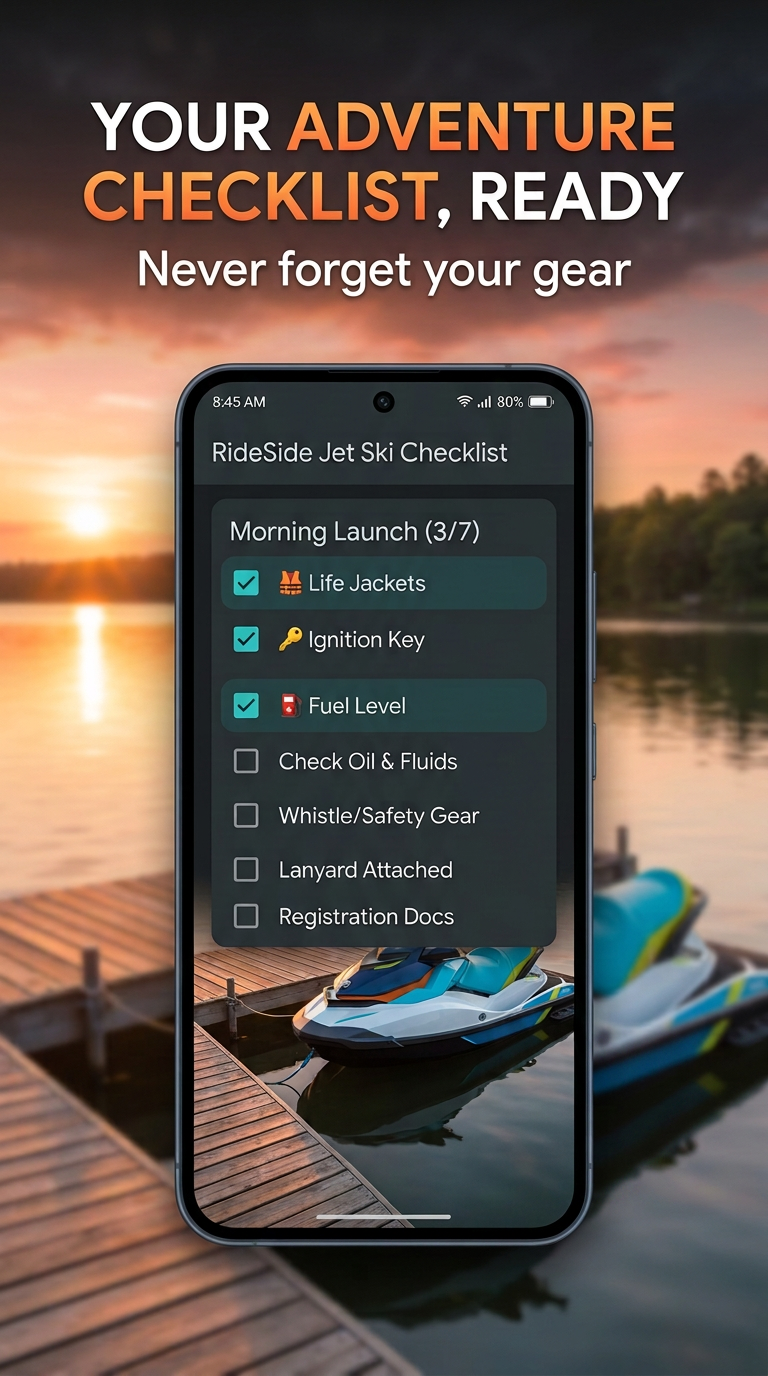
- Create checklists for items to prepare before, monitor during, or review after a boat or personal-watercraft ride.
- Keep information and notes about boats and PWCs together so a rider can refer back to details about their own watercraft.
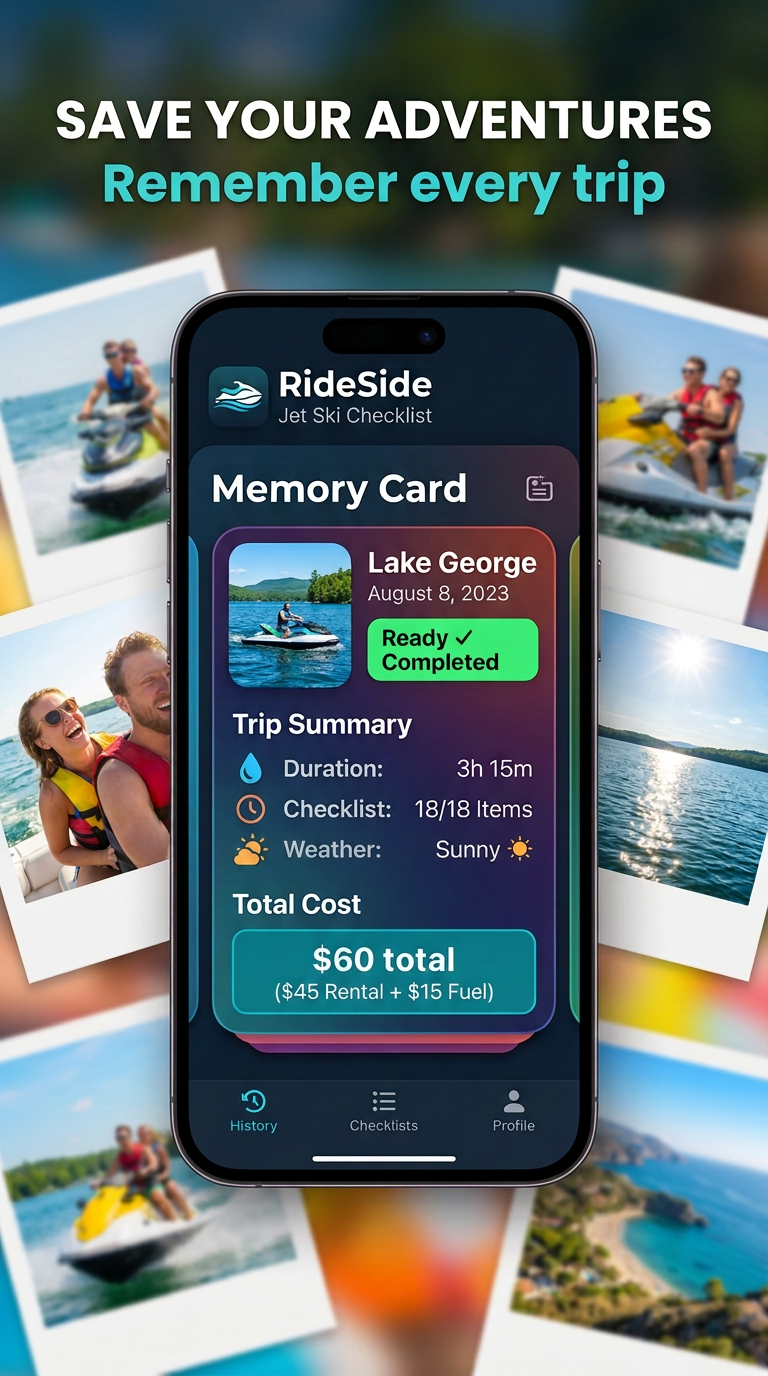
- Save ride notes; a listing image shows a sample location and cost, but verify which note fields the current product actually supports.
- Start from reusable checklist templates when a routine ride does not need a list built from scratch.
- View a weather snapshot for a ride location when the feature is available; the description does not promise coverage or freshness in every place.
- The product description says ride information is stored on the device and an account is not required; published data disclosures separately mention device or other identifiers, so these statements are not a no-network guarantee.
A practical starting point
Workflows and decisions
Workflow 1
Prepare a repeatable watercraft checklist
Use a checklist as a reminder framework, then confirm which categories and template fields the current product supports.
- Choose a reusable template or create a list that matches the boat or PWC ride you are preparing for.
- Organize the checks around the moments the product describes: before the ride, during it, and after returning.
- Review each item in context and update the list to reflect your own equipment, location, and operating requirements.
- Use the official product information for current instructions; this overview does not substitute for a vessel manual or required safety procedure.
Workflow 2
Keep watercraft details close to trip notes
Treat the app as an organizer for reference information and confirm exactly which detail fields are available.
- Select the boat or personal watercraft associated with the outing, if the current app offers that choice.
- Keep the craft information you want to remember in the fields the app actually provides; do not assume that it records every maintenance or registration detail.
- After a ride, add the location, cost, or other personal notes that are useful for your own history.
- Check the available backup, export, and deletion behavior before using the app for sensitive or important records.
Workflow 3
Review weather and ride history carefully
Use an available snapshot as a convenience, not as a substitute for a current marine forecast or local safety guidance.
- Check whether a weather snapshot is available for the location and time you have in mind.
- Confirm the observation time, source, coverage, and any location permission the feature requires before interpreting the result.
- Add the trip notes you want to retain and check them later as personal reference, not as proof of a complete route trace.
- Use official local forecasts and safety information for operational decisions on the water.
Who it may suit
Use cases
Routine launch preparation
Keep a repeatable list for equipment and checks that you want to remember before a regular outing.
More than one watercraft
Organize boat or PWC reference details alongside notes tied to particular rides.
Personal ride journal
Keep selected trip, location, and cost notes together for later review.
Weather context
Look at an available weather snapshot as supplemental context, while relying on authoritative and current sources for safety.
Publisher-supplied imagery
A look at the product
These locally stored listing images are examples of the product’s presentation, not a live interface or an independent feature test.
Scope and caveats
Platform, availability, and what to verify
The public description reviewed for this page presents RideSide as a mobile productivity app for boat and personal-watercraft riders. Product version and platform availability can change; check the official RideSide website for current details.
The product description says ride information is kept on the device and the app can be used without an account. Its published data disclosure also indicates device or other identifiers may be collected or shared and says deletion is not available through the described controls. Confirm current privacy and recovery behavior before adding sensitive locations or costs.
This NoCharge page is a static editorial overview, not a RideSide web app, driver dashboard, navigation system, live trip tracker, or safety checklist. Use current official instructions and local boating guidance for decisions on the water.
Questions to confirm with the current product
- Which watercraft fields and template options are supported, and can separate checklists be kept for different boats or PWCs?
- Where does the weather snapshot come from, how recent is it, and what location or network permission is needed?
- Does the app back up, export, or restore ride records, and how can a user remove device data or identifiers?
- What works without a connection, and which parts of the interface depend on a network or current location?
- Does the current product provide any navigation or live tracking, or should riders use separate marine tools for those tasks?
Straight answers
Frequently asked questions
Is RideSide intended for boats or personal watercraft?
Yes. Its current product description frames RideSide: Checklist as a digital notebook for boats and PWCs, with checklists, watercraft details, and ride notes.
Can checklists cover more than preparation?
The description says lists can be used for things to have ready before, during, or after a ride and mentions reusable templates. Confirm the exact categories and controls in the current product.
Does RideSide provide live navigation or driver dispatch?
Those capabilities are not established by the product description reviewed for this overview. Do not infer route tracking, navigation, or driver dispatch from the product name; check the official site for its current scope.
Is the weather snapshot always available?
No such guarantee is stated. The description qualifies weather information as available when possible, so check its location coverage, source, and freshness and use a current marine forecast for safety decisions.
Does RideSide need an account, and what about privacy?
The product description says ride information is stored on-device and an account is not required. A separate published data disclosure mentions device or other identifiers; confirm the current privacy, backup, and deletion behavior before entering sensitive records.