Mini Sudoku 6×6
Mini Sudoku on NoCharge: A Quiet 6×6
Why a small Sudoku grid can make room for a calm, accessible puzzle session.
- logic-games
- accessibility
- quiet-arcade
Controls at a glance
About this game
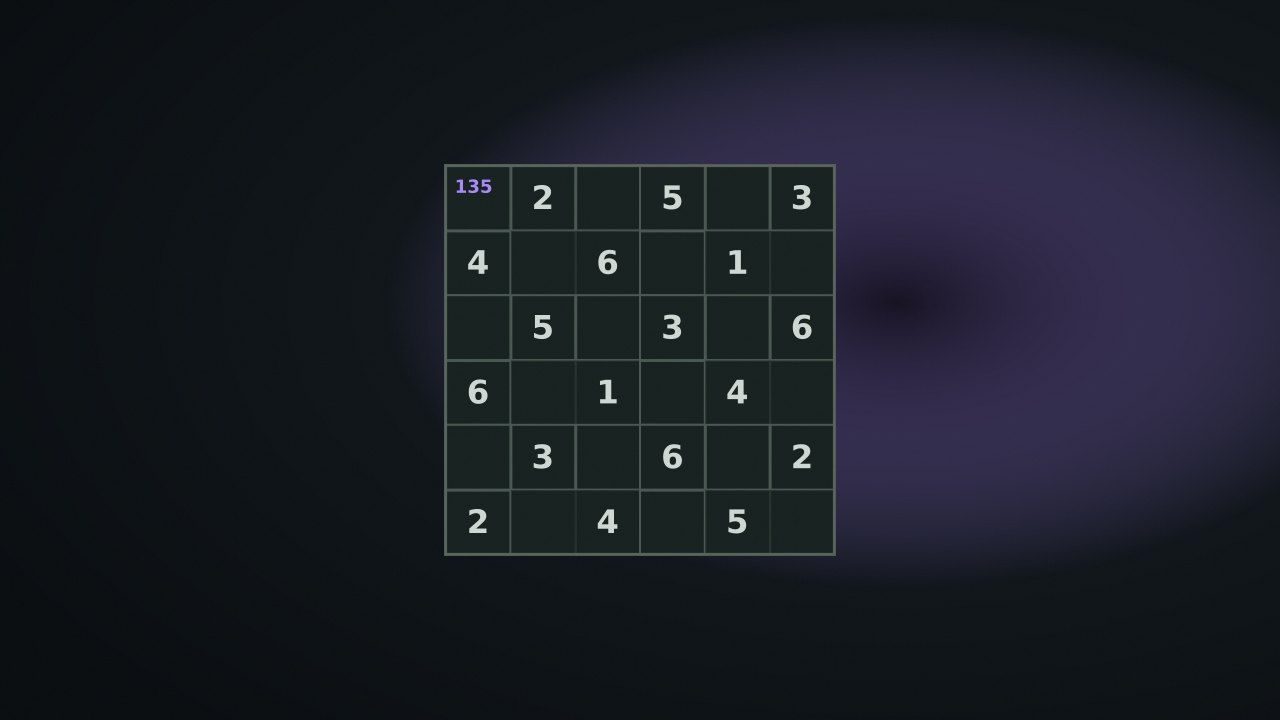
Mini Sudoku uses digits 1–6 on a 6×6 board with boxes three columns wide and two rows high. It keeps the row, column, and box constraints of Sudoku in a smaller space.
Fill every editable cell so each row, column, and box contains 1 through 6 exactly once. Given clues cannot be changed. There is no timer or loss after a fixed number of mistakes; you can clear entries, undo, check the board, or reveal the selected cell.
Select a cell with a tap or the keyboard cursor, then use the digit pad or keys 1–6. Marks mode adds or removes candidate notes instead of placing a final digit. Clear removes an entry or notes, while Reveal supplies the selected cell’s solution digit.
If a row already contains 1, 2, 3, 4, and 6, its remaining cell must be 5. For a less direct step, collect the digits missing from the row and remove any already used in its column or 3×2 box. A note records a possibility; it does not prove that digit belongs there.
Mini Sudoku has no points score. Easy, Medium, and Hard describe removing 12, 16, and 20 cells respectively, rather than a measured rating of solving skill. The local result is a completed-puzzle count.
Inspect the most nearly completed row or box first. After placing a digit, revisit notes in the crossing row, column, and box. Check compares current entries with the generated solution, so use it deliberately if you want to work without answer feedback.
nocharge:sudoku:current-puzzle stores difficulty, seed, and entered board digits for restoration when the saved data passes validation. nocharge:sudoku:puzzles-solved counts completions. The Marks on/off preference uses nocharge:pref:sudoku-pencil-marks, shared with Sudoku 9×9. Individual pencil notes and the undo history are not saved with the board. No data is synchronized to another device.
Player notes
Original articles about the systems and decisions inside Mini Sudoku 6×6.
Mini Sudoku 6×6
Why a small Sudoku grid can make room for a calm, accessible puzzle session.
A small grid, a quiet puzzle. Solve a 6×6 Sudoku with 3×2 boxes, pencil marks, and no timer or pressure.
Yes. The game opens without an account, subscription, or cloud profile.
Fill: Select a cell and type a digit from 1 to 6, or use the on-screen digit pad. Pencil marks: Toggle Marks, then enter digits in an empty cell to keep small candidate notes while you work. Clear or undo: ✕ or Backspace clears the selected cell; U undoes the last entry. Check or reveal: Check highlights wrong cells; Reveal fills only the selected cell.
Any result or preference the game retains is stored in local storage in this browser. It does not synchronize between devices and can be removed with Clear game data.
The shared game shell pauses while the page is hidden and stops ambient audio. Returning removes the hidden-page pause, but a manual pause remains in place.
Use New game in the shared toolbar or settings panel. Restarting this game does not clear saved results from other games.
The listed session is 5–20 min. Check the complete guide for mode-specific timing, scoring, and end conditions.
Master mute silences effects and ambient audio. Effects on/off changes game effects only, and the volume control also adjusts an active ambient texture.