← Arcade

Quiet Arcade · Lights Out

Lights Out

Turn every light off with five-cell toggles.

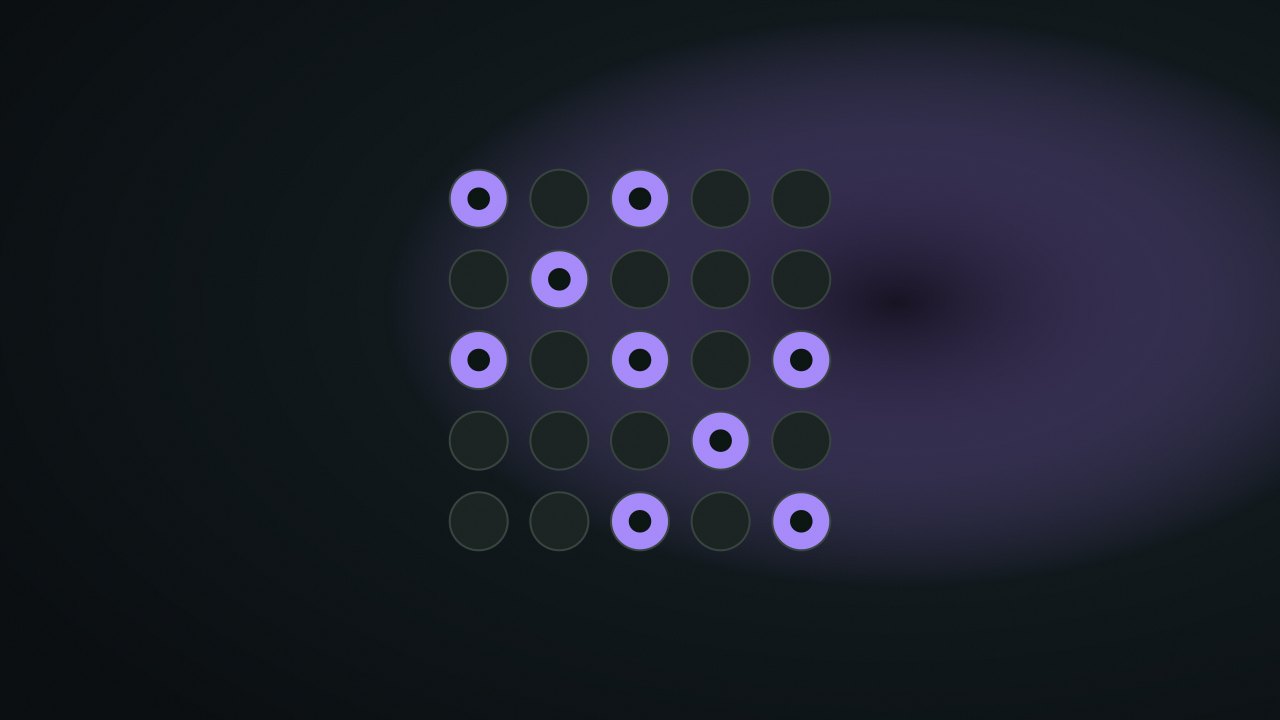
A 5×5 grid of round lights, some lit in violet on a dark field

Controls at a glance

Press a light to toggle it and its four neighbours. Turn everything off.

  • PressClick or tap a light; Enter or Space presses the focused light.
  • MoveArrow keys move the focus cursor; each cell is announced as a light on or off.
  • New puzzleEvery puzzle is generated by pressing from a solved board, so it is solvable by construction.

About this game

How Lights Out works

Lights Out is a 5×5 toggle puzzle in which a press changes several cells at once. A move can turn some lights off while turning others on, so the effect matters more than the number of lit cells it immediately removes.

Objective and win/loss conditions

Turn all 25 lights off to clear the board. There is no countdown, move cap, or failed-board state. Each generated puzzle starts from an all-off board and applies a sequence of toggles, which guarantees there is a sequence that returns it to all off.

How it plays

Pressing a cell flips that light and its up, down, left, and right neighbors. There is no wrapping across edges. A center press affects five lights, an edge press four, and a corner press three.

For example, pressing the top-left corner toggles row 1 column 1, row 1 column 2, and row 2 column 1. Pressing it again restores those three cells to their prior states. Toggles commute: the order of a fixed set of presses does not change its final board, although every press still counts toward moves.

Scoring and strategy

A solved board adds to your completion count, and a lower winning press count can replace your best. Two identical presses cancel their board effect but count as two moves, so avoid them when improving that record.

One systematic approach is to choose first-row presses, then work downward: to turn off a light in row 1, press the cell immediately below it in row 2. Continue through row 5. If the last row remains lit, revise the first-row choices; the process is a way to organize trials, not a promise that the first attempt works.

Local save data

nocharge:lights-out:puzzles-solved stores completed boards and nocharge:lights-out:best-moves stores the fewest presses used for a clear. The current 25-light pattern is not persisted. Refreshing generates another solvable puzzle while retaining these personal localStorage metrics.
Genre
Logic
Challenge
Fixed 5×5
Typical run
2–6 min
Read the complete Lights Out guide →

Player notes

More ways to read this game

Original articles about the systems and decisions inside Lights Out.

Lights Out

Lights Out — solvable by construction, and why that matters

NoCharge generates every Lights Out puzzle by pressing from a solved board, so solvability is a property of the generator, not a promise. What that means for play and for honesty.

  • lights-out
  • puzzle generation
  • honesty
3 min read
Browse all game articles →

Frequently asked questions about Lights Out

How do you play Lights Out?

Turn every light off with five-cell toggles. A 5×5 grid where pressing a light toggles it and its four neighbours. Every puzzle is generated from a solved board, so it is solvable by construction. Untimed, keyboard-complete.

Is Lights Out free to play without an account?

Yes. The game opens without an account, subscription, or cloud profile.

What controls does Lights Out support?

Press: Click or tap a light; Enter or Space presses the focused light. Move: Arrow keys move the focus cursor; each cell is announced as a light on or off. New puzzle: Every puzzle is generated by pressing from a solved board, so it is solvable by construction.

Where does Lights Out keep saved results?

Any result or preference the game retains is stored in local storage in this browser. It does not synchronize between devices and can be removed with Clear game data.

What happens if I switch tabs while playing Lights Out?

The shared game shell pauses while the page is hidden and stops ambient audio. Returning removes the hidden-page pause, but a manual pause remains in place.

How do I restart Lights Out?

Use New game in the shared toolbar or settings panel. Restarting this game does not clear saved results from other games.

Is Lights Out timed?

The listed session is 2–6 min. Check the complete guide for mode-specific timing, scoring, and end conditions.

How do sound and ambient controls work in Lights Out?

Master mute silences effects and ambient audio. Effects on/off changes game effects only, and the volume control also adjusts an active ambient texture.