Beacon Lattice guide
Beacon Lattice Guide: Exact Coverage and Patterns
Learn how Beacon Lattice counts coverage, how the four beacon patterns work, and how to read forced placements on the 24 curated puzzles.
Beacon Lattice asks for one thing: every required cell must have coverage exactly 1. The game is untimed. There are no lives, streaks, or penalties for trying a placement and taking it back.
Open Beacon Lattice to play while you read.
Objective
Place the available beacons so the lattice is an exact cover.
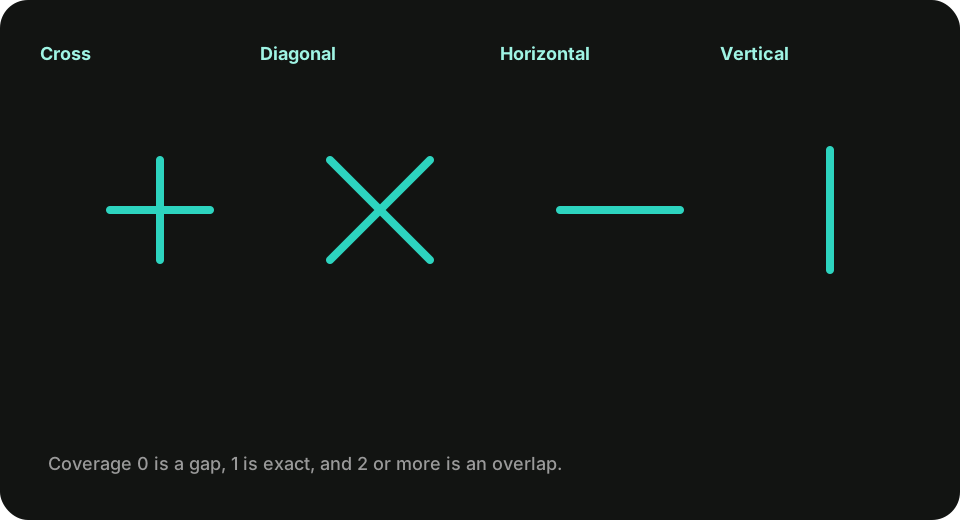
- 0 · Gap — a required cell is not covered.
- 1 · Exact — the cell is covered by exactly one beacon.
- 2+ · Overlap — two or more beacons cover the same cell.
The puzzle is solved only when every required lattice cell is Exact.
The four patterns
Cross (+, shortcut 1)
Covers its own cell and one cell up, down, left, and right.
Diagonal (X, shortcut 2)
Covers its own cell and the four diagonal neighbors.
Horizontal (—, shortcut 3)
Covers its own cell and the adjacent left and right cells.
Vertical (|, shortcut 4)
Covers its own cell and the adjacent cells above and below.
Offsets that leave the board are ignored. A beacon always covers its own eligible cell.
Lattice shape, void cells, and blocked obstacles
Early puzzles use a shaped lattice. Cells outside that shape are void: they are not required, they cannot hold a beacon, and they are labeled “outside the lattice,” not “blocked.”
Blocked cells appear later as obstacles on an otherwise required field. A blocked cell cannot hold a beacon and does not receive coverage. A pattern that would land on void or blocked cells skips that offset and still evaluates the rest.
Edge beacons therefore cover fewer required cells than interior ones.
Inventory, restricted cells, and locks
Each puzzle lists which types you may use and how many of each remain. Unused inventory is allowed unless you have no legal way to finish. Some later puzzles restrict which cells may hold a beacon, or which types a cell accepts. Locked beacons are already placed and cannot be removed or replaced.
Controls
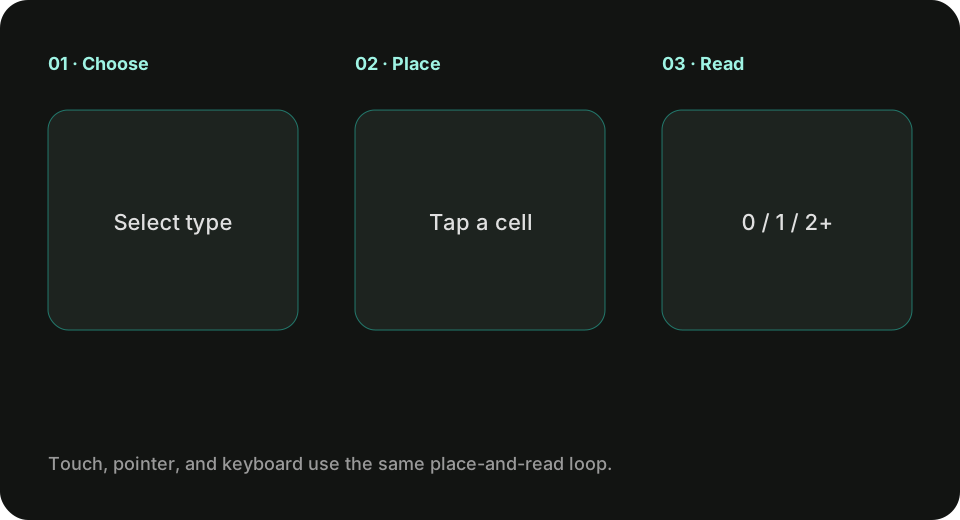
- Touch or pointer: choose a type button, then choose an eligible empty cell to place. Choose a removable beacon to take it off. Locked cells announce that they cannot be removed.
- Keyboard: arrow keys move the active cell.
1–4select types. Enter or Space places the selected type. Delete or Backspace removes.Uundoes. Escape clears the current type. Tab plus Enter or Space also operates every control. - New game: the shared toolbar restart restores the current puzzle’s starting state, including locked beacons, and clears undo. Recorded bests stay.
Shortcuts are ignored while a form control is focused and when a modifier key is held.
Scoring and par
The result is the number of beacons remaining on a solved board. Lower is better. Each puzzle shows an authored par equal to the supplied solution’s beacon count. The guide and game say “par,” not “optimal,” unless a uniqueness test has proven a single solution.
Undoing or removing a beacon does not permanently worsen a stored best. Only a completed board is recorded.
Worked example
On First plus, the required cells form one Cross at row 3, column 3. Place a Cross there. Every required cell becomes 1 · Exact. Par is 1.
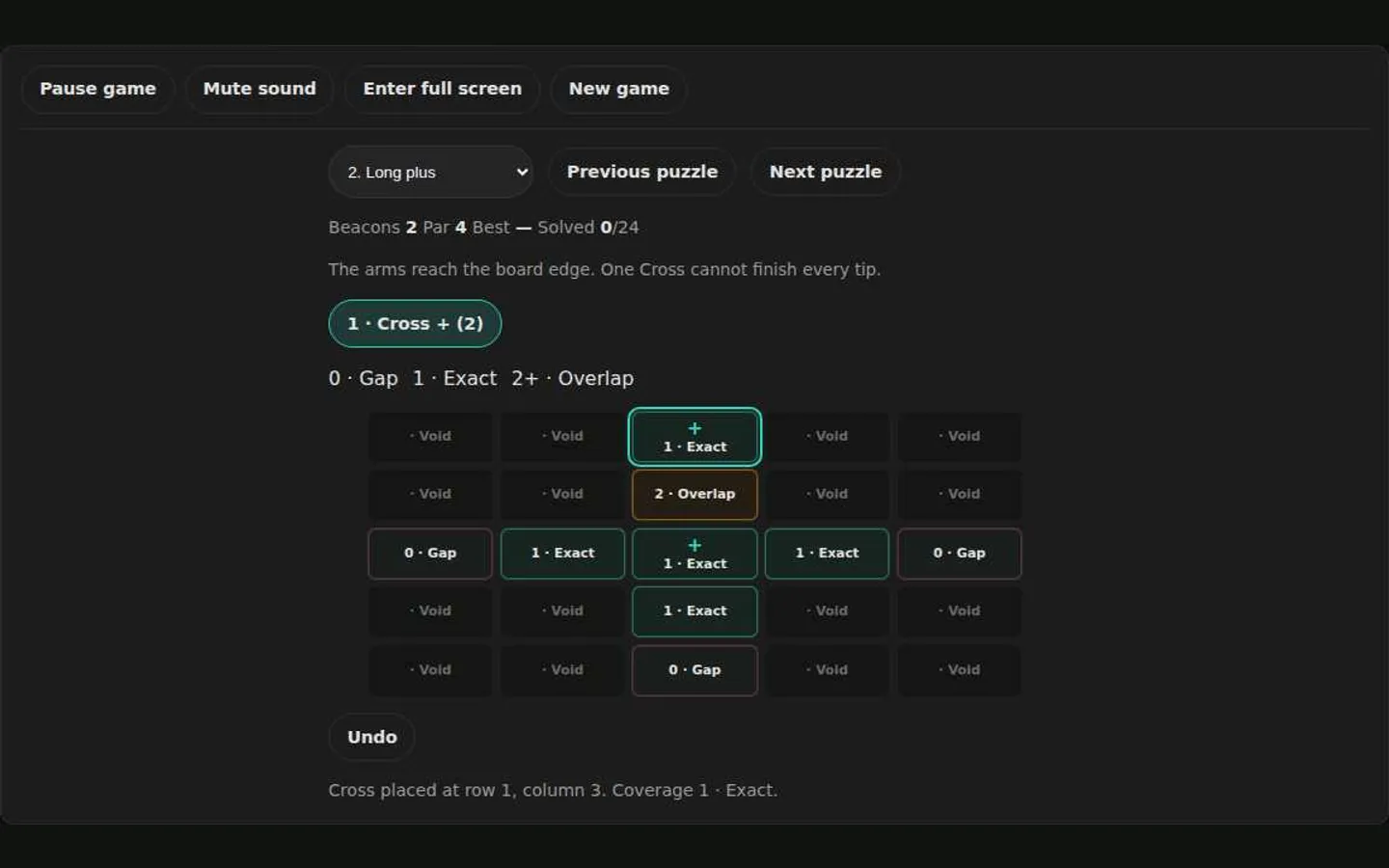
On Long plus, the required cells form a full-width plus. A single center Cross leaves the four tips as gaps. Covering a tip with a second Cross that also reaches an already exact cell creates 2 · Overlap.
Beginner strategy
- Read the available types and the remaining counts before placing.
- Look for a cell that only one pattern can cover—often a corner or a lonely arm.
- Place forced beacons first, then re-read coverage numbers.
- If you create an overlap, undo. Do not try to “cover the overlap away.”
Advanced strategy
Inventory limits turn optional-looking cells into forced ones. If only one Cross remains and a plus-shaped gap is still open, that Cross has a single job. Restricted placement cells shrink the candidate list further. On 7×7 boards, work from blocked cells and locked beacons outward so you do not trap a gap behind two overlapping bars.
Accessibility
Coverage is a number plus the words Gap, Exact, or Overlap. Beacon types have names, shortcuts, and distinct marks. The game does not require color, sound, dragging, or timing. Pause preserves every beacon and coverage count and blocks placement until you resume, including after a hidden tab or the privacy dialog.
Mobile and keyboard notes
Seven-by-seven boards keep numeric labels on every cell. Prefer the type buttons plus a tap rather than trying to drag. Keyboard players can keep one hand on the arrows and the other on 1–4.
Local progress
The current puzzle, completed puzzle IDs, and best solved beacon counts are stored only in this browser. Clearing game data on the Privacy page removes them and does not change analytics or Google advertising choices.
FAQ
Do I have to use every beacon? No, unless the remaining gaps cannot be covered otherwise.
Can two beacons share a cell? They can be placed that way, but the board is not solved until that overlap is gone.
What does par mean? It is the beacon count of the authored solution, not a claim that no smaller solution exists.
Is there a timer? No.
When you want a focused rule example, read How exact coverage works in Beacon Lattice. Then play Beacon Lattice.
Frequently asked questions about Beacon Lattice
How do I play Beacon Lattice?
Learn how Beacon Lattice counts coverage, how the four beacon patterns work, and how to read forced placements on the 24 curated puzzles.
Does Beacon Lattice need an account?
No. The game opens without an account, and NoCharge does not provide cloud profiles or synchronized saves.
What controls does Beacon Lattice support?
Touch or pointer: Select a beacon type, then select an eligible cell to place it. Select a placed beacon to remove it. Keyboard: Arrow keys move the cell cursor. 1–4 choose a type. Enter or Space places. Delete removes. U undoes. Coverage: Every required cell shows 0 · Gap, 1 · Exact, or 2+ · Overlap. Color is only a secondary cue.
Where does Beacon Lattice keep saved results?
Any result or preference the game retains is stored in local storage in this browser. The exact value differs by game, does not synchronize, and can be removed with Clear game data.
What happens if I switch tabs while playing Beacon Lattice?
The shared game shell pauses while the page is hidden and stops ambient audio. Returning removes the hidden-page pause, but a manual pause remains in place.
How do I restart Beacon Lattice?
Use New game in the shared toolbar or settings panel. Restarting this game does not clear saved results from other games.
Is Beacon Lattice timed?
The listed session is 3–8 min. Read the timing and scoring sections in this guide because modes within a game can behave differently.
How do sound and ambient controls work in Beacon Lattice?
Master mute silences effects and ambient audio. Effects on/off changes game effects only, and the volume control also adjusts an active ambient texture.