Memory Match guide
Memory Match Guide: Rules, Moves, and Recall Tips
Learn how NoCharge Memory Match counts moves, how keyboard controls work, and how to remember more card positions with a simple repeatable strategy.

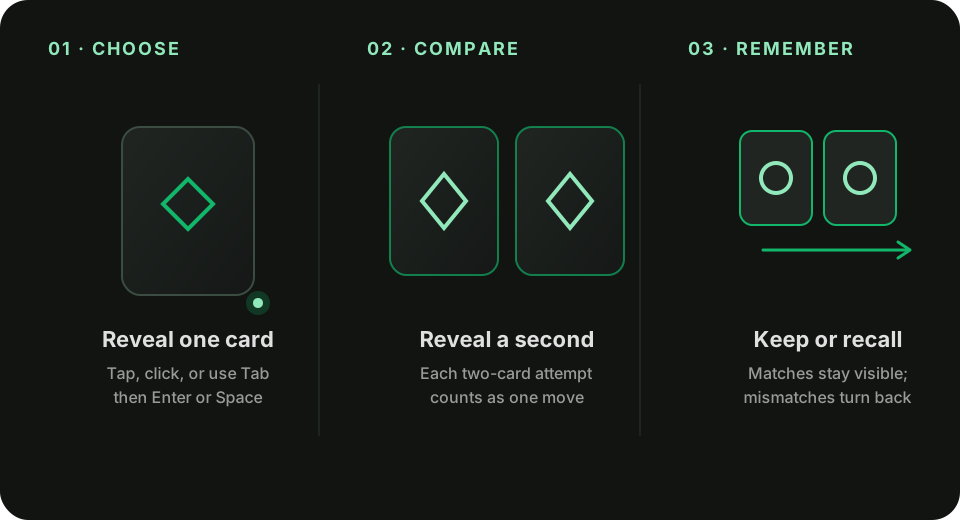
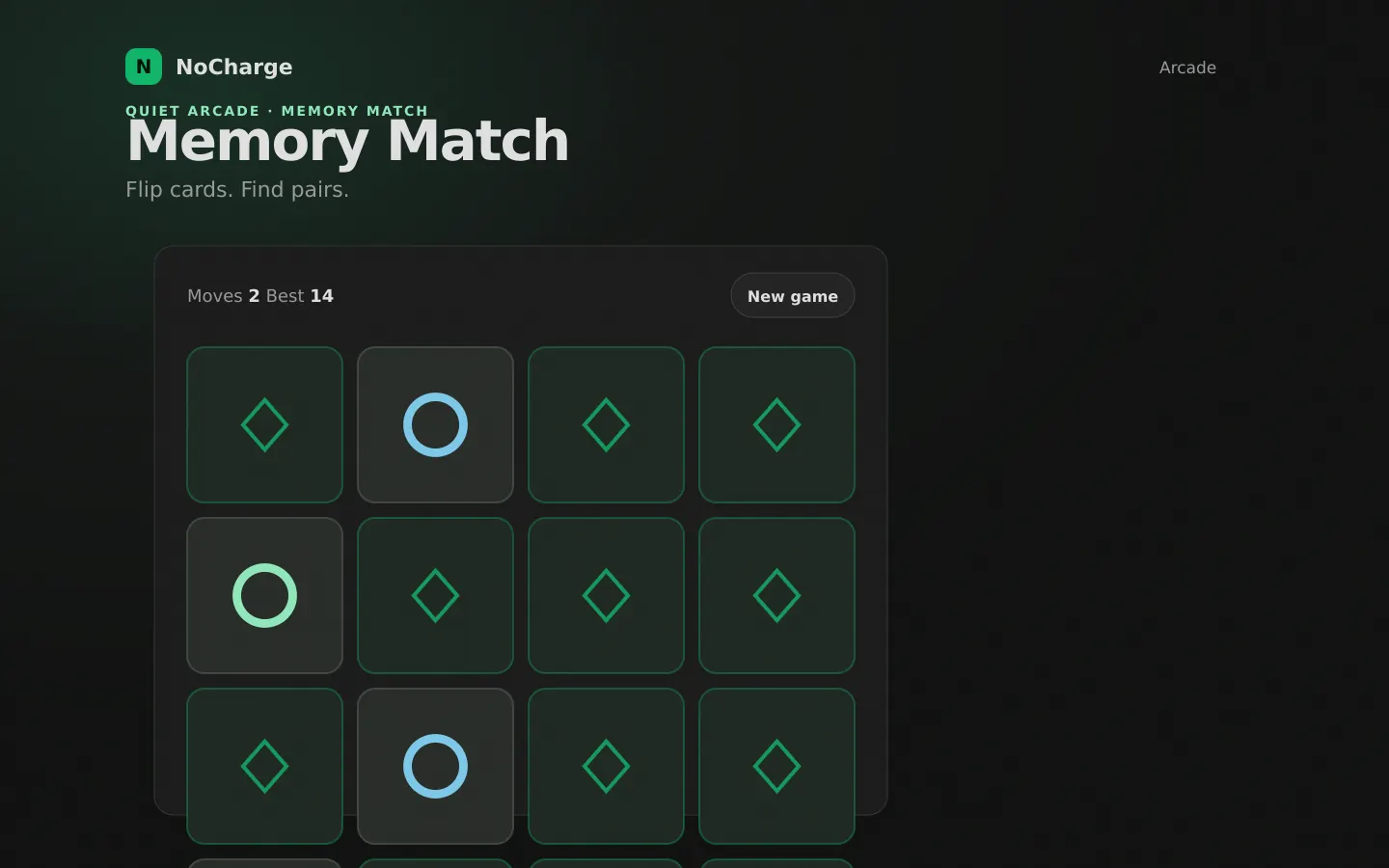
NoCharge Memory Match uses a 4×4 board containing eight pairs of symbols. The goal is simple: reveal every pair while using as few moves as possible. Because the symbols are shuffled for each new board, the useful skill is not memorizing one layout—it is building a reliable way to scan any layout.
How to play
Select one hidden card, then select a second card. A matching pair stays face up. A mismatched pair turns back over after a short pause. Each two-card attempt counts as one move, whether the cards match or not.
The game ends when all eight pairs are visible. Your lowest completed move count is saved as your best result in this browser.
Controls
- Mouse or touch: select any hidden card.
- Keyboard: use Tab to move between cards, then press Enter or Space to reveal one.
- New game: reshuffles the full board and resets the current move count.
Matched cards leave the keyboard sequence, and focus moves to another available card so you can continue without returning to a pointer.
A practical memory strategy
Reveal new information early
During the opening turns, avoid repeatedly guessing the same unknown area. Reveal cards you have not seen so each move adds two useful positions to memory.
Remember pairs as locations
Instead of trying to hold sixteen separate symbols in your head, connect a symbol to a simple location: “blue circle, top-right” or “white circle, third row left.” Row-and-column language is often easier to recall than an isolated picture.
Use known matches immediately
When a newly revealed card matches a position you already remember, take that pair on the next move. Clearing known pairs reduces the number of active locations competing for attention.
Scan in one direction
Pick a consistent pattern—left to right, top to bottom—and return to it on each board. A repeatable scan makes card positions less likely to blur together.
What is a good move count?
A perfect game would require eight moves, one for each pair, but that would mean knowing the shuffled layout in advance. For ordinary play, improvement is more useful than a universal target. Try to beat your own best by one or two moves as your scanning method becomes more consistent.
Where your score is stored
The best move count is saved only in local storage on the current device. It is not uploaded, shared, or connected to an account. Clearing site data or using the Privacy page’s Clear game data control removes it.
Frequently asked questions about Memory Match
How do I play Memory Match?
Learn how NoCharge Memory Match counts moves, how keyboard controls work, and how to remember more card positions with a simple repeatable strategy.
Does Memory Match need an account?
No. The game opens without an account, and NoCharge does not provide cloud profiles or synchronized saves.
What controls does Memory Match support?
Touch or pointer: Select any hidden card, then select a second. Keyboard: Tab between available cards; reveal with Enter or Space. Restart: Use New game at any time to reshuffle and reset the move count.
Where does Memory Match keep saved results?
Any result or preference the game retains is stored in local storage in this browser. The exact value differs by game, does not synchronize, and can be removed with Clear game data.
What happens if I switch tabs while playing Memory Match?
The shared game shell pauses while the page is hidden and stops ambient audio. Returning removes the hidden-page pause, but a manual pause remains in place.
How do I restart Memory Match?
Use New game in the shared toolbar or settings panel. Restarting this game does not clear saved results from other games.
Is Memory Match timed?
The listed session is 2–5 min. Read the timing and scoring sections in this guide because modes within a game can behave differently.
How do sound and ambient controls work in Memory Match?
Master mute silences effects and ambient audio. Effects on/off changes game effects only, and the volume control also adjusts an active ambient texture.