Word Search guide
Word Search guide
Controls, themes, and accessible ways to enjoy quiet word hunting.
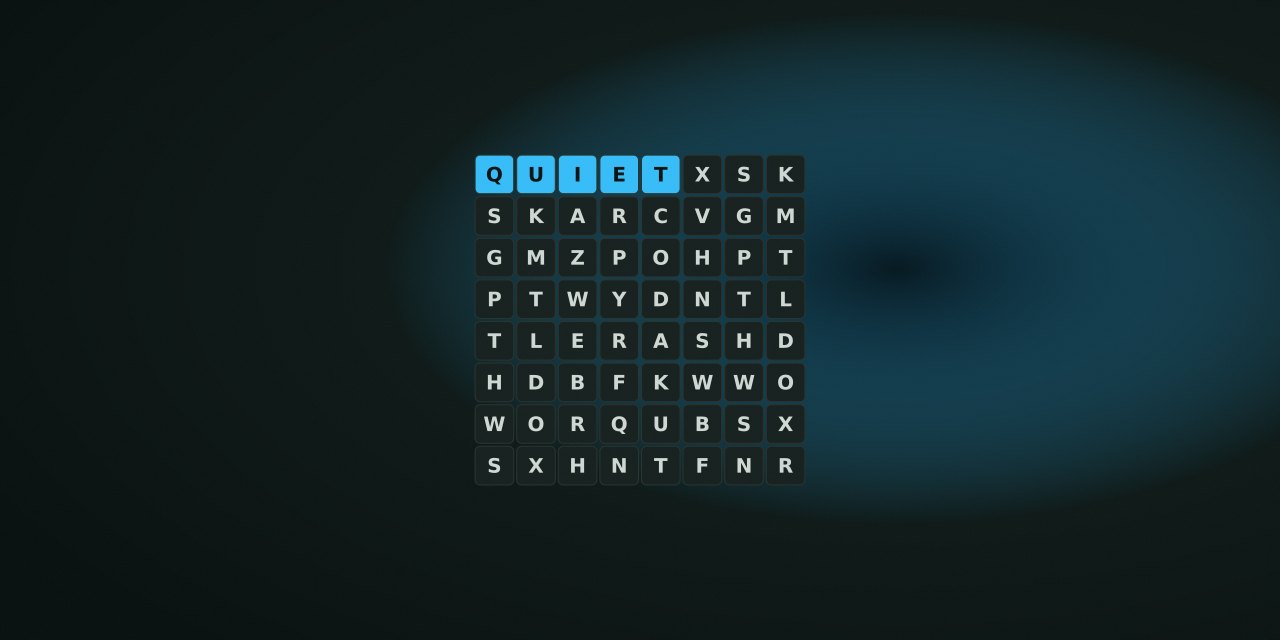
Controls at a glance
Select the first letter and the last letter of a straight word. Mouse and touch players tap cells directly; keyboard players move a focus cursor with the arrow keys and press Enter or Space to select. A Show word list button keeps the remaining words visible, Hint highlights one starting cell and names its letter, and New puzzle starts a fresh grid (asking first if words are already found).
How selection works
Words may run horizontally, vertically, or diagonally, forwards or backwards. A found word stays highlighted. Hint identifies a first letter only.
Accessibility
The grid uses labeled buttons, live announcements, visible focus, and a layout that can scroll on a narrow screen. Reduced motion changes animation only; it does not change sound preferences.
What we do not claim
This is a quiet word-finding game. We do not claim an optimal theme for vocabulary building or any educational outcome.
Quick answer
This guide covers the complete current rule set, controls, scoring, and accessibility notes for this game. No account is required and progress stays locally.
Controls comparison
| Action | Pointer | Keyboard | Notes |
|---|---|---|---|
| Select | Click | Enter/Space | Focus visible |
| Move | Drag | Arrows + Enter | Alternative documented |
| New game | Button | Shortcut | Via toolbar |
| Pause | Button | - | Shared toolbar |
No-purchase and setup
Try existing keyboard, pointer, and browser zoom first. Quiet Setup compares practical options for input, display, and comfort without assuming a purchase.
What we evaluated
This guide was verified against current game code and Playwright tests. We did not claim optimal strategy or promise accessibility for every person. It remains useful without ads.
Next step
Play one run with the controls above, then check My Arcade for local progress. Use Help for lifecycle and Privacy for clearing data.
Why this guide matters
A definitive guide must state current rules, controls, modes, scoring, storage, and lifecycle claims against current code. This guide does that for this game, with diagrams and alt text verified. It is the canonical reference for the game page’s How it works section.
Accessibility specifics
Check focus order, visible focus outlines, keyboard operability, and that no board uses transform scale to force fit. Reduced motion affects animation, not sound. Sound preferences are separate.
Related reading
Browse other guides for controls at a glance and related articles for one-mechanic deep dives. Collections group games by inclusion method with specific reasons.
Frequently asked questions about Word Search
How do I play Word Search?
Controls, themes, and accessible ways to enjoy quiet word hunting.
Does Word Search need an account?
No. The game opens without an account, and NoCharge does not provide cloud profiles or synchronized saves.
What controls does Word Search support?
Touch or pointer: Tap the first letter, then the last letter of a word. Keyboard: Arrow keys move the focus cursor; Enter or Space selects a cell. Themes: Choose from eight general-audience word lists. New puzzle: Start a fresh grid at any time; theme or size changes ask first if you have progress.
Where does Word Search keep saved results?
Any result or preference the game retains is stored in local storage in this browser. The exact value differs by game, does not synchronize, and can be removed with Clear game data.
What happens if I switch tabs while playing Word Search?
The shared game shell pauses while the page is hidden and stops ambient audio. Returning removes the hidden-page pause, but a manual pause remains in place.
How do I restart Word Search?
Use New game in the shared toolbar or settings panel. Restarting this game does not clear saved results from other games.
Is Word Search timed?
The listed session is 5–15 min. Read the timing and scoring sections in this guide because modes within a game can behave differently.
How do sound and ambient controls work in Word Search?
Master mute silences effects and ambient audio. Effects on/off changes game effects only, and the volume control also adjusts an active ambient texture.