Word Tile Rush guide
Word Tile Rush Guide: Scoring and Grid Strategy
Learn how to connect letters, score longer words, manage the rising grid, and play Word Tile Rush with pointer or keyboard controls.
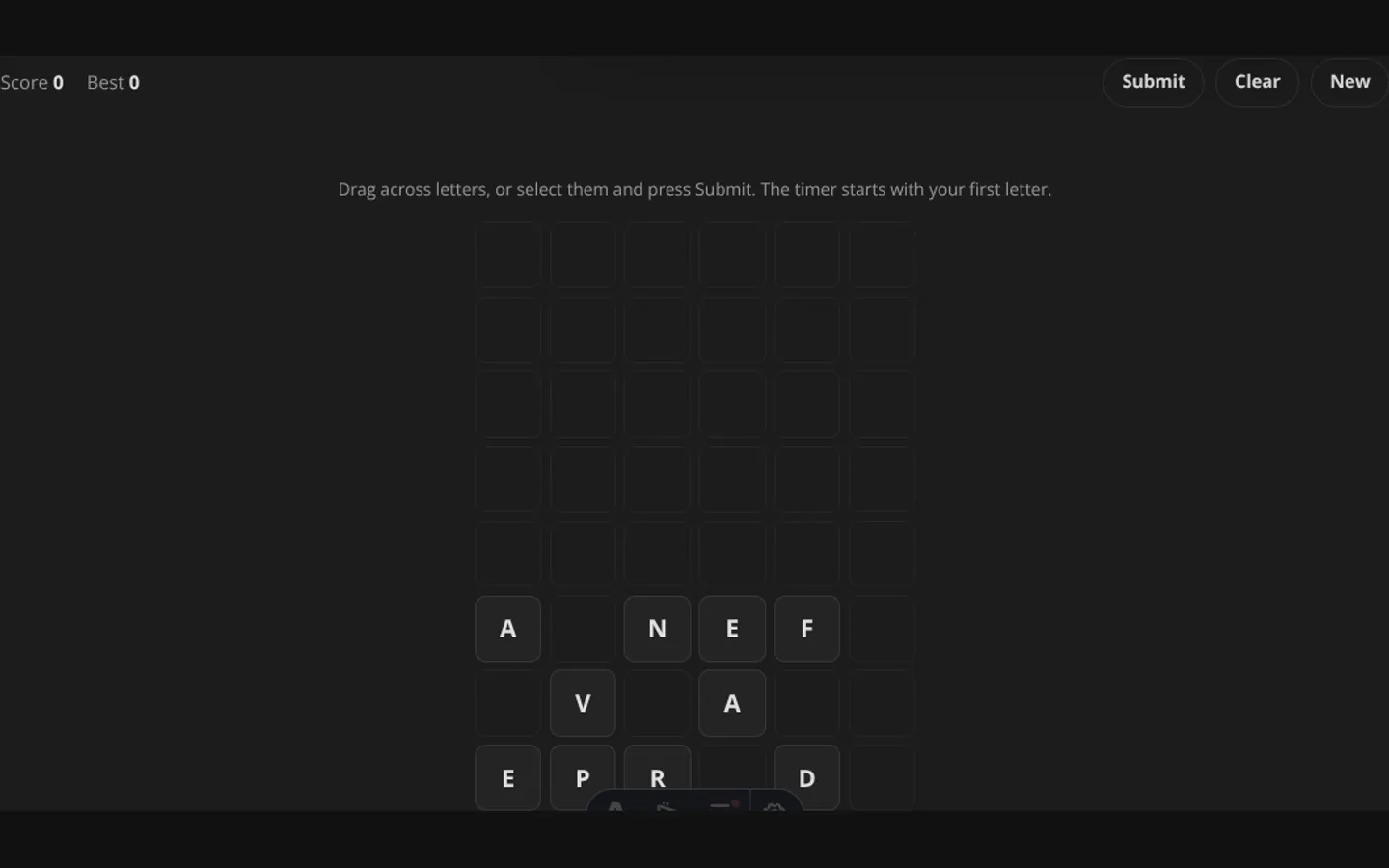
Word Tile Rush is a word-finding game played on a six-column grid. Letters begin near the bottom, and new rows rise after play begins. Your job is to connect valid words, remove their tiles, and keep the stack away from the top.
How to build a word
Start on any letter and continue through adjacent occupied tiles. Horizontal, vertical, and diagonal neighbors all count. A tile cannot be used twice in the same word, but you can backtrack one step if your path turns out to be wrong.
Words must contain at least three letters and must appear in the game’s local word list. The list works without a server request, so a rejected word does not mean your input was uploaded—it only means the local list did not contain it.
Controls
Mouse, trackpad, or touch
Press the first letter, drag across neighboring letters, and release to submit. The current word appears above the grid while you trace it.
Keyboard
Tab to an available letter and press Enter or Space to add it to the path. Continue through adjacent tiles, then choose Submit. Use Clear to abandon the current path.
The rising grid waits while you are actively composing a word, giving keyboard players time to move between controls without the selected coordinates changing underneath them.
How scoring works
Longer words are deliberately more valuable. The score is the word length squared, multiplied by ten:
- 3 letters: 90 points
- 4 letters: 160 points
- 5 letters: 250 points
- 6 letters: 360 points
That makes a five-letter word worth more than two separate three-letter words. Long words are valuable, but only when searching for one does not allow the grid to become dangerous.
Grid strategy
Protect the top first
When letters approach the upper rows, prioritize any valid word that removes high tiles. A modest word near the top can be more useful than a large word at the bottom.
Look for flexible endings
Common endings such as S, E, R, D, and Y can extend a short path into a higher-scoring word. Before submitting three letters, check every neighbor around the final tile.
Use diagonals
The board allows diagonal movement. Scan in all eight directions rather than reading only left-to-right rows; many of the best paths bend between columns.
Clear a path before chasing points
Removing letters collapses each column downward. A short clearing word can bring separated letters together and create a stronger path for the next turn.
When the run ends
New rows arrive every few seconds after the first letter is selected. If a row is already occupying the top when the next rise is due, the run ends. Your highest score is saved locally on this device.
Frequently asked questions about Word Tile Rush
How do I play Word Tile Rush?
Learn how to connect letters, score longer words, manage the rising grid, and play Word Tile Rush with pointer or keyboard controls.
Does Word Tile Rush need an account?
No. The game opens without an account, and NoCharge does not provide cloud profiles or synchronized saves.
What controls does Word Tile Rush support?
Touch or pointer: Trace adjacent tiles, including diagonals, and submit words of three or more letters. Keyboard: Focus tiles with Tab, select with Enter or Space, then use Submit. Timing: The rising-grid timer begins only after your first selected letter.
Where does Word Tile Rush keep saved results?
Any result or preference the game retains is stored in local storage in this browser. The exact value differs by game, does not synchronize, and can be removed with Clear game data.
What happens if I switch tabs while playing Word Tile Rush?
The shared game shell pauses while the page is hidden and stops ambient audio. Returning removes the hidden-page pause, but a manual pause remains in place.
How do I restart Word Tile Rush?
Use New game in the shared toolbar or settings panel. Restarting this game does not clear saved results from other games.
Is Word Tile Rush timed?
The listed session is 3–8 min. Read the timing and scoring sections in this guide because modes within a game can behave differently.
How do sound and ambient controls work in Word Tile Rush?
Master mute silences effects and ambient audio. Effects on/off changes game effects only, and the volume control also adjusts an active ambient texture.