Pass the Picture guide
Pass the Picture Guide: Passes, Colors, and the Shared Canvas
How NoCharge Pass the Picture's turn structure, undo, and local PNG download work — and what the keyboard can and cannot do in a pointer-based drawing game.
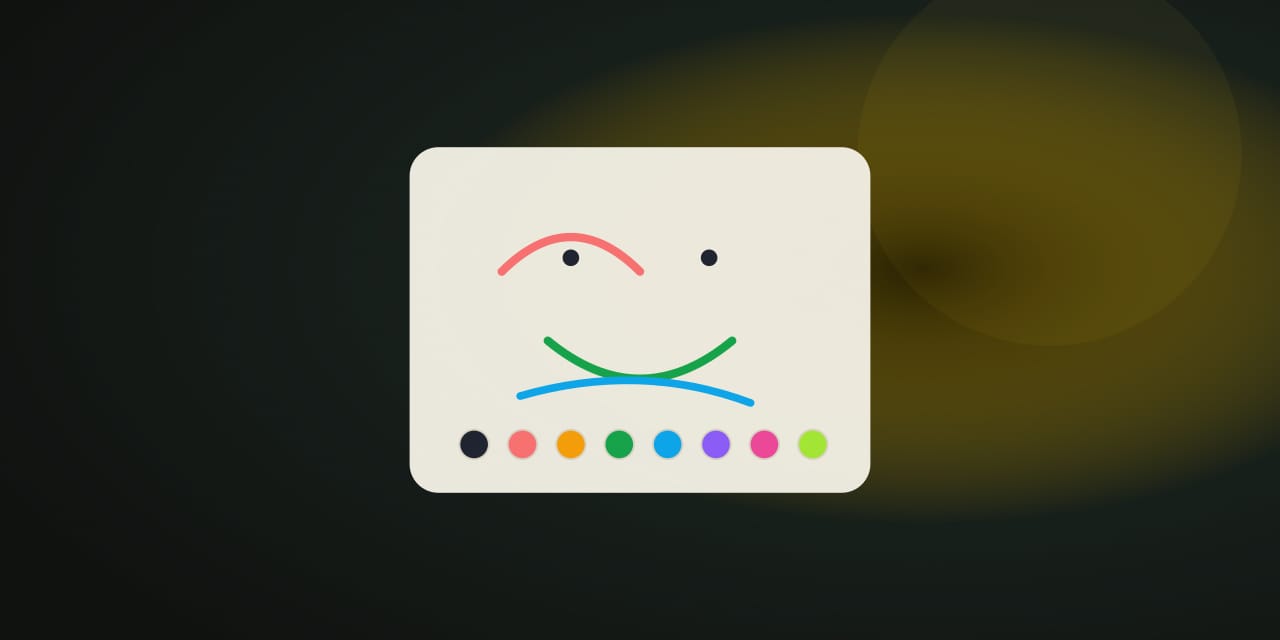
Pass the Picture is a cooperative drawing game for two people sharing one device. The canvas belongs to both of you: on each pass, one player adds a single stroke with a finger, pen, or mouse, then the handoff screen offers the device to the other player. Unlike the competitive Pass & Play games, the drawing stays visible during the handoff — it is shared rather than secret.
How to play
Choose 2, 3, 4, or 5 passes per player before or during a picture (3 by default). Each pass is one stroke: press and drag on the canvas in any color from the eight-color palette at the game’s single stroke width, and lifting the pointer finishes the stroke and ends the pass. If a line goes wrong, Undo last stroke removes the newest stroke and hands that pass back to the player who drew it, so nothing is lost to a mistake.
When the final pass ends, the whole picture is shown with a Download this picture button that saves a PNG file straight from your browser — nothing is uploaded, and no account is involved.
Controls
- Drawing: press and drag with a finger, pen, or mouse. Lifting the pointer ends the pass.
- Colors: the small palette of eight colors marks the chosen one; picking a color does not use your stroke.
- Undo: removes the newest stroke and returns that pass to its author.
- Passes: set passes per player before or during a picture.
- Pass the device: the handoff screen appears after every stroke, with the picture still visible.
Drawing itself needs a pointer: keyboard players can change color, undo strokes, and start a new picture, but strokes cannot be drawn with keys alone — the game page says so plainly rather than implying otherwise.
Making a picture work
Agree on a subject first
One shared word before the first stroke saves a lot of guesswork — the second player is completing an idea, not reading a mystery.
Outline early, color later
The first passes set the shape, and later passes add detail. Early broad lines are easier to extend than a pile of small marks, so the first player does well to keep it simple and legible.
One idea per stroke
A stroke that adds one clear thing — a line, a curve, a shape — is easier for the next player to build on than a busy mark that mixes several ideas.
What stays on this device
The most recent record — passes and strokes drawn — stays on this device and appears in My Arcade as the single record for this game. The drawing itself is not saved anywhere unless you download it. Nothing is uploaded, and no account is involved. Clearing site data or using the Privacy page’s Clear game data control removes the record.
Frequently asked questions about Pass the Picture
How do I play Pass the Picture?
How NoCharge Pass the Picture's turn structure, undo, and local PNG download work — and what the keyboard can and cannot do in a pointer-based drawing game.
Does Pass the Picture need an account?
No. The game opens without an account, and NoCharge does not provide cloud profiles or synchronized saves.
What controls does Pass the Picture support?
Draw a stroke: Press and drag on the canvas with a finger, pen, or mouse. Lifting the pointer finishes the stroke and ends your pass. Colors: A small palette of eight colors and a single stroke width keep the picture simple. The chosen color is marked. Undo: Undo last stroke removes the newest stroke and hands that pass back to the player who drew it. Passes: Choose 2, 3, 4, or 5 passes per player before or during a picture; the default is 3 each. Keyboard note: Drawing itself needs a pointer. Keyboard players can change color, undo strokes, and start a new picture, but they cannot draw strokes with keys alone.
Where does Pass the Picture keep saved results?
Any result or preference the game retains is stored in local storage in this browser. The exact value differs by game, does not synchronize, and can be removed with Clear game data.
What happens if I switch tabs while playing Pass the Picture?
The shared game shell pauses while the page is hidden and stops ambient audio. Returning removes the hidden-page pause, but a manual pause remains in place.
How do I restart Pass the Picture?
Use New game in the shared toolbar or settings panel. Restarting this game does not clear saved results from other games.
Is Pass the Picture timed?
The listed session is 2–5 min. Read the timing and scoring sections in this guide because modes within a game can behave differently.
How do sound and ambient controls work in Pass the Picture?
Master mute silences effects and ambient audio. Effects on/off changes game effects only, and the volume control also adjusts an active ambient texture.