Sudoku 9×9 guide
Sudoku 9×9 guide
Rules, honest difficulty labeling, pencil-mark workflow, keyboard path, solver uniqueness, and local storage.
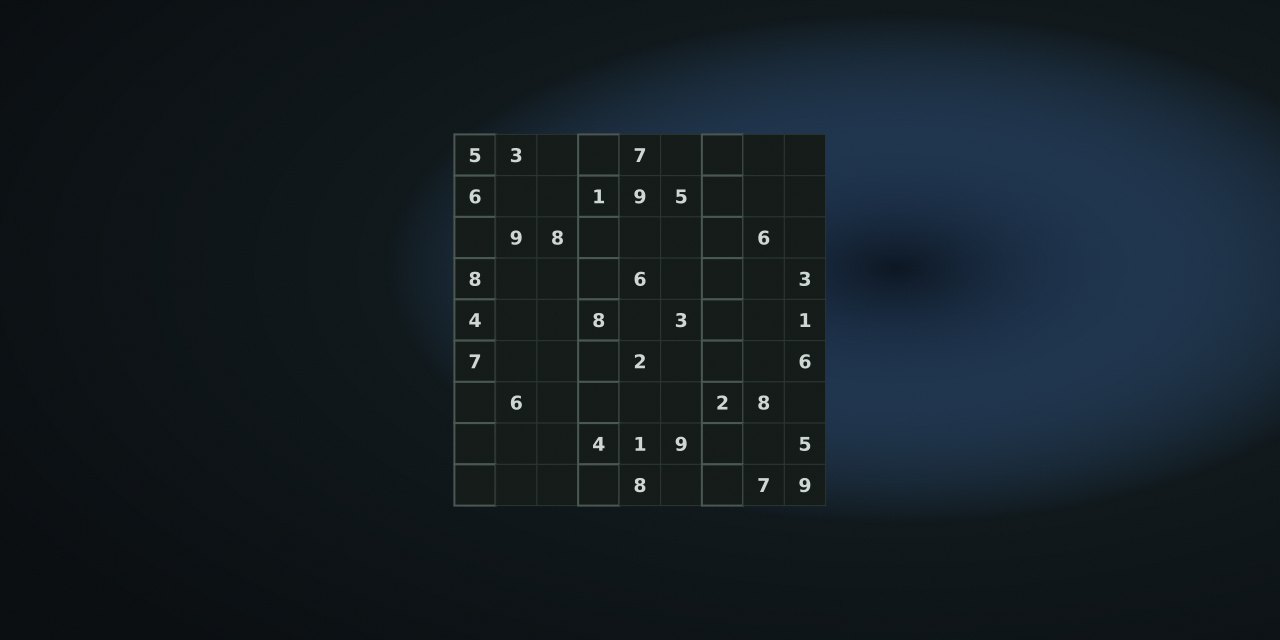
Rules
Place digits 1–9 so that every row, every column, and every 3×3 box contains each digit exactly once. A digit is valid in a cell when it does not already appear in that row, column, or box.
- Easy: 42 given cells.
- Medium: 34 given cells.
- Hard: 28 given cells.
What difficulty labels mean — and do not
The labels describe the number of givens, nothing more. NoCharge does not grade puzzles, does not claim a “brain age”, and does not assert that 28-given puzzles are always harder than 34-given ones. The generator also verifies that each published puzzle has exactly one solution before showing it, because “difficulty” without uniqueness is not a real puzzle.
Pencil marks
Turn on Marks, select an empty cell, and type digits to add or remove candidate notes. Notes are per-cell and saved with the current board. Marks are a helper, not a claim about the best solving method.
Controls
| Action | Pointer / touch | Keyboard | Notes |
|---|---|---|---|
| Select cell | Tap | Arrow keys | Roving tabindex, live labels |
| Fill digit | Digit pad / tap | 1–9 | Conflict is announced, not silently accepted |
| Pencil marks | Marks button | — | Shared preference with Mini Sudoku 6×6 |
| Clear | ✕ | Backspace | Clears digit or notes |
| Undo | Undo | U | Last entry only |
| Check | Check | C | Compares filled cells to the solution |
| Reveal | Reveal | R | Fills only the selected cell |
| New puzzle | Difficulty select | Tab + Enter | Also saved as the current puzzle |
A quiet method that scales to 9×9
- Start with the box with the most givens. A nearly-full box forces the fewest candidates.
- Write pencil marks only when a cell has two or three candidates. Marking every empty cell turns the grid into noise.
- Cross out as you go. After placing a digit, remove it from the row, column, and box notes — this is the highest-value habit.
- Use Check sparingly. It is a verification tool, not a hint; the guide treats Reveal as the explicit hint.
- Take a break freely. The current board is saved automatically under
nocharge:sudoku9:current-puzzle, so closing the tab loses nothing.
What NoCharge records
nocharge:sudoku9:current-puzzle— difficulty, seed, and board so a reload resumes.nocharge:sudoku9:puzzles-solved— completed puzzles on this device.nocharge:pref:sudoku-pencil-marks— shared with Mini Sudoku 6×6.
Accessibility and limits
Arrow-key navigation, announced row/column labels, live status, and separate controls for check and reveal support keyboard and screen-reader play; conflict messages are text, not color-only. The 9×9 board needs more precision than the 6×6, so the one-thumb collection lists the smaller grid instead. NoCharge makes no claim about memory, concentration, or cognitive benefit.
Next step
Open an Easy puzzle, mark the two-candidate cells, and cross out as you place digits. Compare with the 6×6 version using the 6×6 vs 9×9 article.
Frequently asked questions about Sudoku 9×9
How do I play Sudoku 9×9?
Rules, honest difficulty labeling, pencil-mark workflow, keyboard path, solver uniqueness, and local storage.
Does Sudoku 9×9 need an account?
No. The game opens without an account, and NoCharge does not provide cloud profiles or synchronized saves.
What controls does Sudoku 9×9 support?
Fill: Select a cell and type 1–9, or use the on-screen digit pad. Pencil marks: Toggle Marks, then enter digits in an empty cell to keep candidate notes. Clear or undo: ✕ or Backspace clears the selected cell; U undoes the last entry. Check or reveal: Check highlights wrong cells; Reveal fills only the selected cell. Difficulty: Easy 42 givens, Medium 34, Hard 28 — labels describe the given count, and every puzzle has exactly one solution.
Where does Sudoku 9×9 keep saved results?
Any result or preference the game retains is stored in local storage in this browser. The exact value differs by game, does not synchronize, and can be removed with Clear game data.
What happens if I switch tabs while playing Sudoku 9×9?
The shared game shell pauses while the page is hidden and stops ambient audio. Returning removes the hidden-page pause, but a manual pause remains in place.
How do I restart Sudoku 9×9?
Use New game in the shared toolbar or settings panel. Restarting this game does not clear saved results from other games.
Is Sudoku 9×9 timed?
The listed session is 8–25 min. Read the timing and scoring sections in this guide because modes within a game can behave differently.
How do sound and ambient controls work in Sudoku 9×9?
Master mute silences effects and ambient audio. Effects on/off changes game effects only, and the volume control also adjusts an active ambient texture.